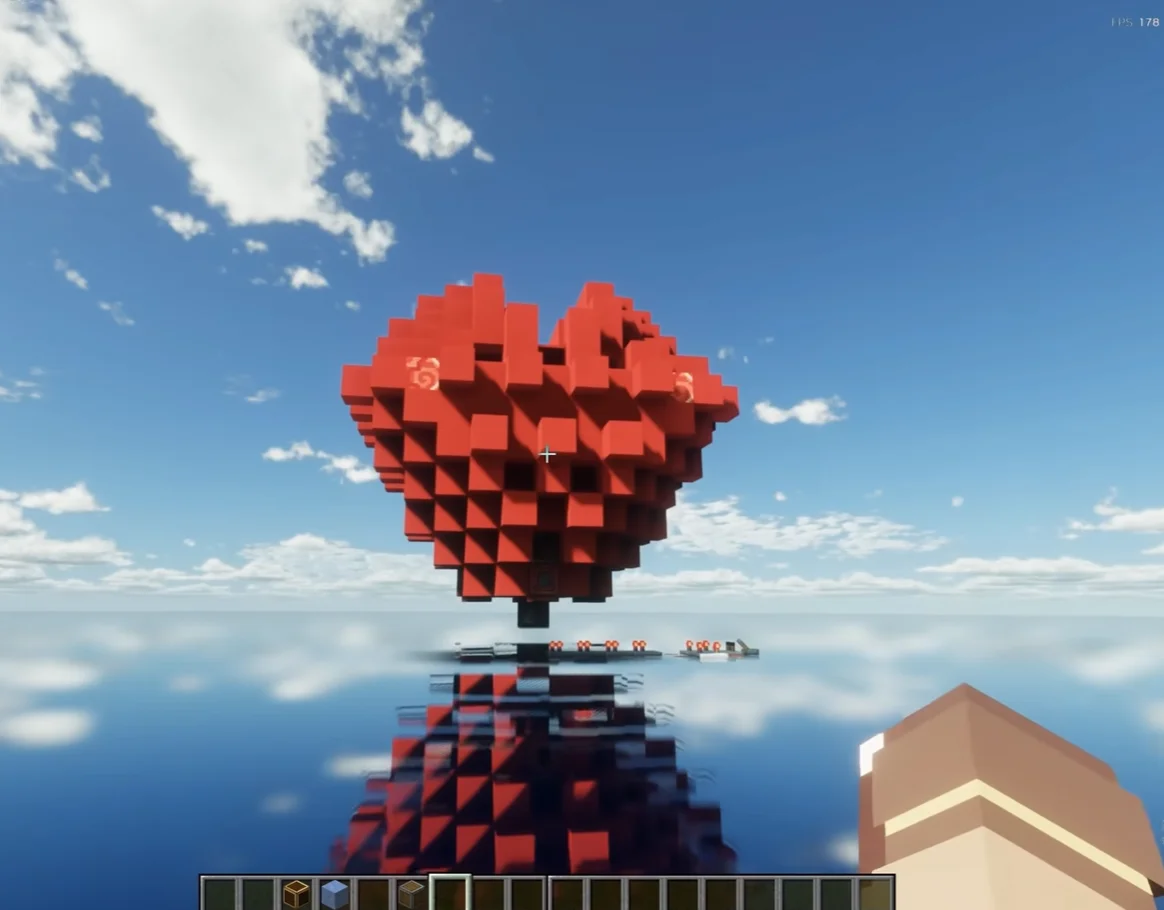
A beating heart is the rare redstone build that has no use at all, which is exactly why it is worth building: no farm, no farm rate, no optimisation — just a shape on a wall that moves at a rhythm you chose. It also happens to teach the one thing most redstone tutorials skip, which is timing.
This guide builds the effect from the circuit outward: a clock that decides the rhythm, a piston layer that moves the shape, a light layer, and a sound layer. Every number below is in redstone ticks, because that is the unit the game actually uses — one redstone tick is 0.1 seconds, not a frame.
Why most beating hearts look wrong#
Two mistakes ruin the effect, and neither is about the design.
The first is tempo. A heart at 150 beats per minute reads as a machine, not a heart; at 30 bpm it reads as broken. The range that looks alive is roughly 60–80 bpm, and that is a circuit decision, not an aesthetic one.
The second is travel. A piston that moves a block one full block forward and back is a big, obvious motion. Real chest movement is small and fast, so the best version moves the outline one block and returns it quickly, then waits — the pause between beats is what sells the rhythm more than the beat itself.
What you need#
For a wall-mounted heart about five blocks wide:
- Redstone dust, roughly 40–50
- Redstone repeaters, 6 (two are the clock, the rest are for syncing branches)
- Redstone torches or a lever, 1, as the on/off switch
- Sticky pistons, 10–14 depending on how much of the outline moves
- Red concrete or red glazed terracotta, 20–30, for the shape
- Redstone lamps, 4–6, if you want it to glow on the beat
- Note blocks, 4, for the sound (optional but it carries the effect)
- Solid building blocks, a stack, for the hidden structure
- One observer, optional, if you want a pulse too short to hold a lamp
Layer 0: the clock, and the only maths you need#
A redstone repeater adds 1 to 4 redstone ticks of delay — 0.1 to 0.4 seconds — and you set it by right-clicking it one to four times. That single number is the whole tempo control.
The clock itself is the old standard: a loop of dust broken by two repeaters facing the same direction around the loop. Power it once with a lever and it never stops, because the repeaters keep re-triggering each other.
To pick your number, add up the delay around the loop; that is one full cycle, and the beat happens once per cycle:
- 2 repeaters at 4 ticks = 8 redstone ticks = 0.8 s per beat, 75 bpm — the default that looks most alive
- 2 repeaters at 3 ticks = 60 bpm — slower, heavier, good for a dungeon entrance
- 2 repeaters at 2 ticks = 100 bpm — nervous, good for a horror build
- 2 repeaters at 1 tick = 150 bpm — too fast; it stops reading as a heart
Put the clock behind the wall, two blocks deep. A heart that beats is impressive; a heart that beats next to a visible clock is a school project.
Layer 1: the pulse bus#
Every moving part on the face needs to receive the same signal at the same moment. Run one dust line out of the clock along the back of the wall, and branch to each piston from there.
Two practical rules:
- Redstone dust carries 15 blocks. Beyond that the signal dies, so on a heart wider than about 15 blocks you need a repeater every 15 blocks to refresh it — and each repeater you add shifts that branch by 0.1 s, which is visible as jitter.
- Branch from the same point. If one side of the heart is fed from further down the line than the other, the two halves beat slightly out of step. It looks like a mistake because it is one.
Layer 2: the moving face#
Build the heart outline first, flat against the wall, out of red concrete. Then replace the outline blocks that should move with sticky pistons facing outward, and put the coloured block on the piston face.
The cheap version moves only the outer points — the two shoulders, the bottom tip, and the two side lobes, about 6 pistons. The full version moves the entire outline with 12–14.
Two details that decide whether it works:
- A sticky piston extends while it is powered and retracts when power drops. That means the clock has to switch on and off, not hold steady — a constant signal just leaves the whole heart frozen in the “out” position.
- Leave a block of space in front of every piston. Pistons cannot push into an occupied space, and a heart built flush against a wall one block away will simply jam.
If you want the outline to grow rather than bulge, use honey blocks as the carried block: honey sticks to its neighbours, so one piston can drag a whole cluster. Keep the cluster under a dozen blocks — past that the piston refuses to move it.
Layer 3: light#
Place redstone lamps inside the heart, not on the outline. Wired to the same bus, they flash on every beat and give the shape a pulse from within, which reads much better than the outline lighting up.
If the lamps strobe too hard, put a repeater set to 2 ticks between the bus and the lamps. It delays the light by 0.2 s, so the glow arrives just after the shape moves — the same way a real beat has a visual after-effect.
Layer 4: sound#
Note blocks are the cheapest upgrade in the whole build. Four of them, one per side of the heart, driven from the same bus, tuned to the same pitch. The “thump” on every beat is what makes people walk over and look.
Two gotchas:
- A note block plays the instrument of the block underneath it. Put them on stone or wood for a drum-ish sound; on glass or soul sand you get something else entirely.
- Do not break and replace a note block to “fix” the pitch — right-click it to step the pitch up, and it keeps its setting.
The double beat (lub-dub)#
A single thump every 0.8 s looks like a metronome. Real hearts do two: a strong beat, a weaker second beat about 0.2 s later, then a pause.
To get it, split the bus after the clock into two lines. One goes straight to the main pistons. The other goes through a repeater set to 2 ticks to a second, smaller set of pistons — or just to the lamps. The second line fires 0.2 s after the first, and because the loop is 0.8 s, you get lub… dub… pause, repeat.
This is the version worth building. It costs two repeaters and changes the whole read of the thing.
Troubleshooting#
Nothing happens when I flip the lever. The clock is not looping. Check that both repeaters in the loop face the same direction — one backwards and the loop stops dead. Pull the lever, then place it again to restart it.
It beats once and freezes. A constant signal is reaching the pistons. That usually means a repeater is feeding a dust line that feeds back into itself without a break, or the lever is sitting directly on the bus instead of on the clock.
The pistons fire but the blocks do not move. Something is in the way of the piston face: the wall, a torch, or a block you placed flush. Pistons need the destination space empty.
One side beats late. That branch is further from the clock. Repeaters refresh signal but also add delay — equalise the number of repeaters on each side rather than the length of dust.
It works in Java and not in Bedrock. Bedrock’s redstone updates in a different order, so tight loops that rely on two components updating in the same tick can behave differently. On Bedrock, add one repeater set to 1 tick at the clock output; it costs almost nothing visually and makes the loop stable.
Where to put it#
Best placements are the ones where a pulse is already part of the room: behind a Nether portal frame, at the end of a corridor, or as the “core” of a base you have already built. It also makes a good first redstone project because every part of it is visible — clock, bus, pistons, output — with nothing hidden behind abstraction.
If you want a build that pays you back instead, the gold farm uses the same logic in a different shape: a clock, a bus, and a machine that does the work. And if the appeal here is atmosphere rather than mechanics, the atmosphere mod list covers the lighting side of the same problem.
Quick answers#
How do I make the heartbeat slower? Increase the repeater delays in the clock loop. Two repeaters at 4 ticks gives 75 bpm; adding a third repeater at 4 ticks drops it below 50.
Why does my heart beat once and stop? The signal is constant rather than pulsing — the clock is not looping, or the lever is powering the output bus directly.
Does it work on Bedrock? Yes, with one extra repeater at the clock output to smooth out update-order differences.
How many pistons do I need? Six for a convincing outline, twelve to fourteen for the whole shape to move.
Mechanics checked against the Minecraft Wiki entries for redstone repeaters, pistons and note blocks. Timing figures are redstone ticks (0.1 s each).