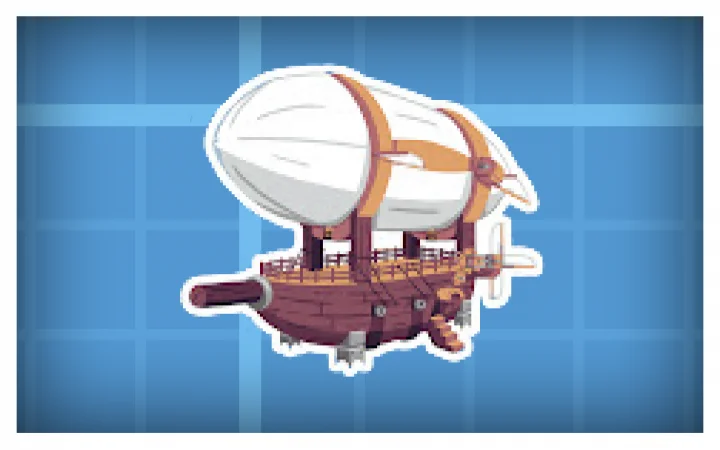
Create: Aeronautics does one thing well — it makes a block-built aircraft behave like an aircraft. Then the addons arrive: colour variants, lift patches, mass readouts, tool guns. Some of them are worth installing, some will quietly break your saved ship, and the difference is rarely in the description.
This page covers what the addons actually change, how to install them without corrupting a world, and which ones fight each other.
What Create: Aeronautics is#
Aeronautics extends Create with physics-driven flight. Contraptions become airships, with lift and drag calculated from their shape and mass through Sable, the physics core the mod builds on. That detail matters, because it explains why so many addons are patches rather than content: they change a formula rather than add a block.
Before you install anything#
Addons for a physics mod are not like a resource pack. Three rules:
- Match the loader and the game version exactly. An addon built for a different Create version can load without an error and then behave incorrectly, which is worse than crashing.
- Back up the world. A ship that exists under one physics formula may not be flyable under another; the world is what changes when you switch.
- Install one addon at a time. If two physics patches go in together and a ship behaves strangely, you will not know which one did it.
How to tell whether an addon is alive#
The listing page does not tell you. Check these instead:
- Last update date — anything not touched since the current Create version released is suspect
- Pinned dependency version — a good addon states the exact Create version it targets
- Issue tracker — an addon with recent issues is healthier than one with no issue tracker at all
- Whether it patches physics — patches conflict with each other by design; content addons rarely do
The addons worth knowing#
Create Aeronautics: Tool Gun#
mcmod.cn/class/26469 — engineering controls modelled on the tool gun from VMod, rebuilt for Aeronautics vehicles. If you have used the original, the interaction model will be familiar: grab, weld, constrain.
Create Aeroworks#
Assorted aircraft component attachments. No catalogue page at the time of writing, so treat third-party mirrors as the source and verify the version before installing.
Aeronautics Dyeable Components#
Modrinth: aeronautics-dyeable-components — recolouring for aviation components. Purely cosmetic, no physics change, lowest risk on this list.
Create Aeronautics: Lift Patch#
Modrinth: create-aeronautics-lift-patch — replaces the linear velocity term in Sable’s lift calculation with a quadratic one. The practical effect is that small aircraft generate usable lift with less wing area, and building gets easier. It is also the most invasive change here: every ship you already built will fly differently.
Create Aeronautics (Sable): Mass View#
Modrinth: mass view — an overlay showing the mass distribution of a contraption. Debugging tool rather than gameplay content, and the fastest way to find out why a ship lists to one side.
Which ones conflict#
Any two addons that modify lift, drag or mass calculation will conflict, because they both replace the same formula. Install one, test, then swap — do not stack them.
Cosmetic addons (dyeable components) and interface addons (mass view) are safe to combine. Tool-type addons are usually safe unless they also change physics.
Performance, honestly#
Airships are entities with physics. A large ship with many sub-blocks is more expensive than a building of the same size, and on a server the cost lands on the tick loop, not on your client. If a server lags when three ships fly at once, the fix is smaller ships, not a faster CPU.
Matching the three versions#
Every Aeronautics addon sits on a stack of three version numbers, and a mismatch anywhere in the chain is what produces the “it loads but behaves wrongly” failure — the worst kind, because there is no crash to read:
- Minecraft version — the pack targets a specific game version. A mod built for 1.20.1 will not behave correctly on 1.21.
- Create version — Aeronautics is a Create addon, so it inherits Create’s API. A Create update that changes a block registry can silently break an addon’s behaviour.
- Physics core (Sable) version — the lift and drag patches hook into this layer directly. An addon that patches physics is the most sensitive to this number.
Read the addon’s own page for all three before installing. If it only lists a game version, assume the Create version it was built against and check the file’s upload date against Create’s release history.
When an addon breaks your ship#
Three symptoms, three causes:
The ship will not move at all. Usually a physics patch that changed the lift formula — the ship is now too heavy for its wing area. Test by removing the patch and flying the same ship.
The ship flies but drifts. Mass calculation issue, most often from an addon that changes block weights or adds blocks with no mass defined.
The game crashes on world load. Not a physics problem — a registry conflict. Two addons registering the same block or item ID. Remove one and re-test; the crash log names the duplicate.
The general rule: install one addon, fly the same test ship, then install the next. Testing two at once tells you nothing.
Quick answers#
Do I need Create to use these? Yes. Every addon here depends on Create, and most also depend on Aeronautics and its physics core.
Will my existing ships survive an addon install? Cosmetic addons yes. Lift patches no — expect to re-tune or rebuild.
Can I use two lift patches together? No. They replace the same calculation; the last one loaded wins and the result is unpredictable.
Where should I download from? Modrinth or CurseForge, matched to your Create version. Avoid reposts and “mod pack” sites that bundle jars.
If you are new to Create rather than to Aeronautics, start with the atmosphere mod list to get a stable base install first — mixing a large content modpack with a physics mod is how most broken worlds start.
Addon descriptions follow the original developers’ listings; links point to Modrinth and MCMod. Versions change quickly — verify compatibility on the listing before installing.